
Read the Jabber Wiki
Follow wiki.goonswarm.org/w/Jabber. Install emotes. Login info at goonfleet.com/esa/.
Configure Jabber and Mumble — how you'll find fleets, earn PAPs, and receive FC orders.
You MUST read the GOONFUCKING policy now that you have forum access. Mandatory for all members.
Read GOONFUCKING Policy →Ensure you have set up your GoonFleet forum account first.
Jabber coordinates alliance operations — from strat ops to saving Rorquals and dreads. This is where you find fleets and earn your monthly PAPs (5 required per month).
Follow wiki.goonswarm.org/w/Jabber. Install emotes. Login info at goonfleet.com/esa/.
"The Buddy List" is the default room — a director/management address book, not general chat.
Buddies → Add Chat → auto-join on connect. Room list server: conference.goonfleet.com. Join ELYSIUM (general alliance chat) and delve911 (all lowercase, no spaces).
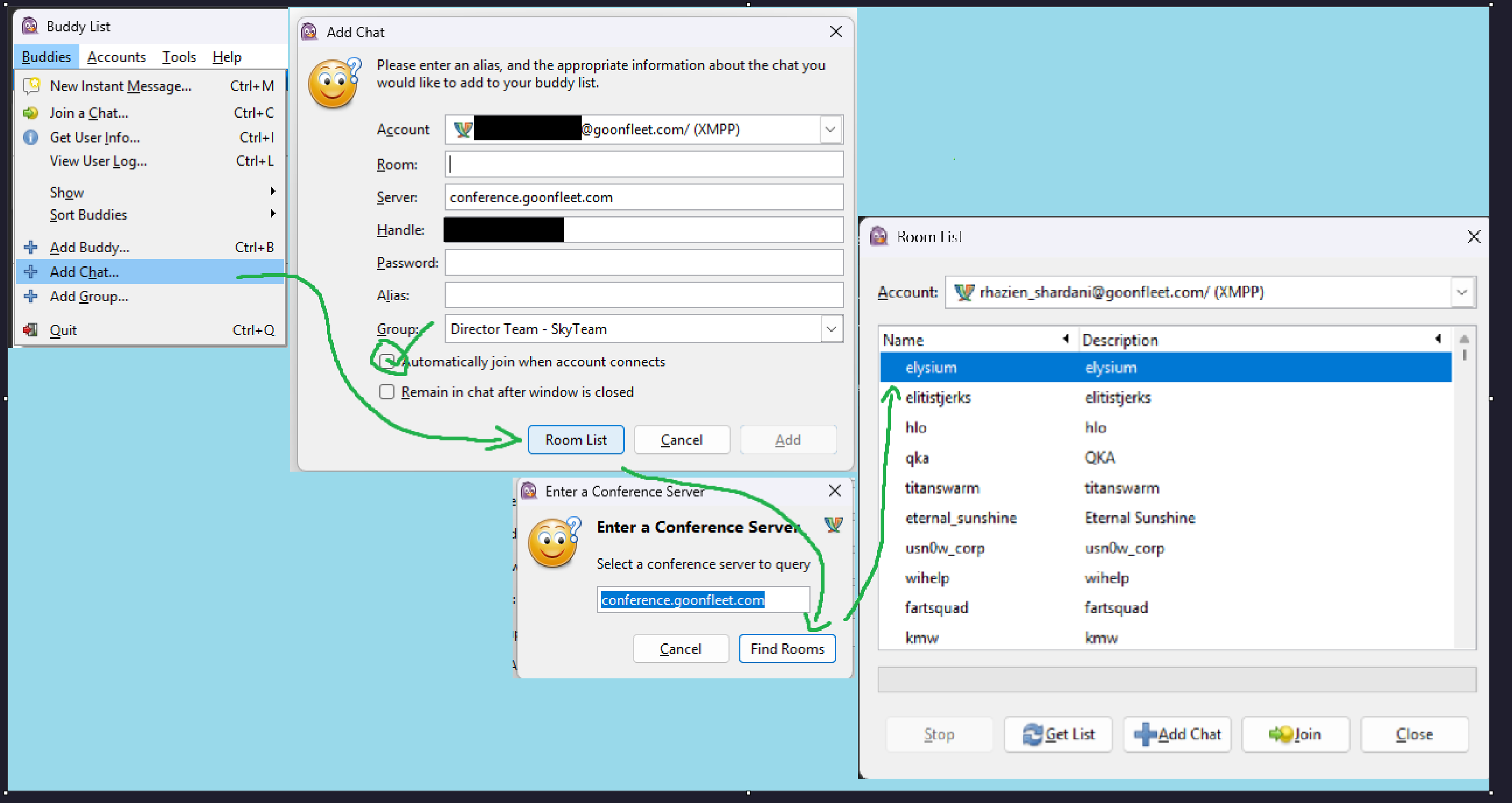
DirectorBot pushes fleet forms automatically. Staging is usually at the Goon staging station from your welcome mail.
Forgot credentials? goonfleet.com/esa/
Alliance-wide VOIP for fleet commands. You don't need to speak — but you must listen to FC instructions.
Follow wiki.goonswarm.org/w/Mumble. Login info at goonfleet.com/esa/.
Follow the wiki entirely. Join the AFK channel once connected. Questions? Just ask!
Struggling with the written guide? Tunesmith X has you covered (skip to 3:10 if you don't need the forums section):
Watch Setup Video →